
Quick Start
Get up and running with Chapa API v2 in minutes with this step-by-step guide.
This quick start walks you through the simplest end-to-end payment flow using Chapa API v2:
Initialize payment → Redirect customer → Verify payment
This flow applies to Hosted Checkout, which is the recommended starting point.
Step 1: Create a Chapa Account
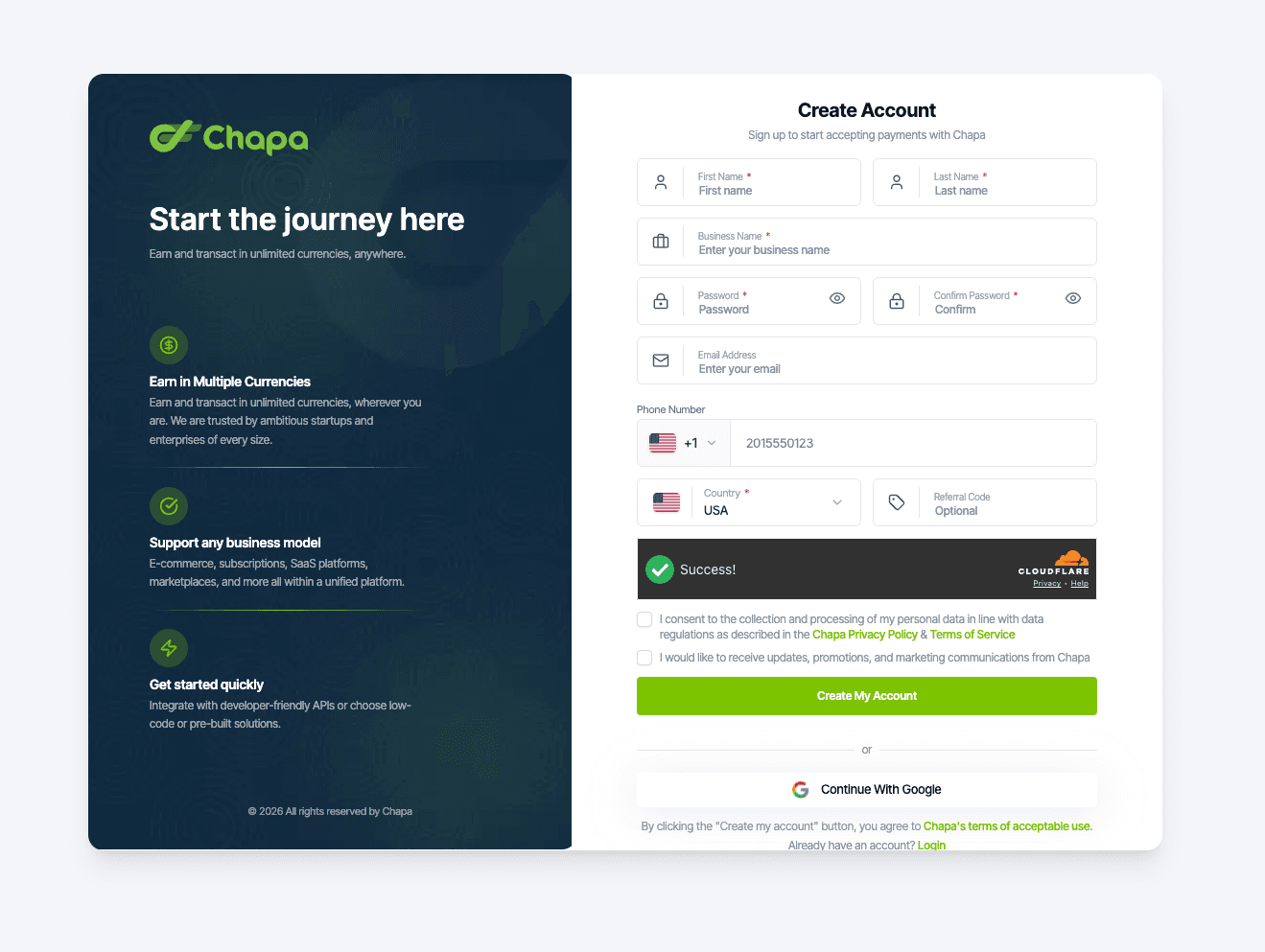
Create (or sign in to) your merchant account on the Chapa Dashboard.
From the dashboard, you'll be able to:
- Manage API keys
- Switch between Test and Live modes
- View payments, payouts, refunds, and webhooks
Step 2: Use Test Mode for Development
Chapa supports two environments:
| Mode | Description |
|---|---|
| Test Mode | No real money is moved |
| Live Mode | Real transactions |
Always start in Test mode while building and validating your integration. Switch to Live mode only when you're ready to accept real payments.
Do not mix test and live keys — this will cause authentication errors.
Step 3: Get Your API Keys
From your dashboard, navigate to:
Settings → API Keys
You'll find:
| Key Type | Usage |
|---|---|
| Secret Key | Used on your server to authorize API requests. Never expose this in frontend code. |
| Public Key | Used only for client-side integrations (e.g., Inline.js) |
Step 4: Prepare Payment Details
Before initializing a payment, collect the required payment information.
Required Parameters
| Parameter | Description |
|---|---|
amount | Amount to charge |
currency | Supported currency code |
Supported Currencies
| Code | Currency |
|---|---|
USD | US Dollar |
UGX | Ugandan Shilling |
ETB | Ethiopian Birr |
DJF | Djiboutian Franc |
Optional Parameters (Recommended)
| Parameter | Description |
|---|---|
merchant_reference | Your unique payment reference |
customer | Customer details object |
customer.first_name | Customer's first name |
customer.last_name | Customer's last name |
customer.email | Customer's email address |
customer.phone_number | Customer's phone number |
preferred_payment_methods | Array of preferred payment methods |
meta | Internal metadata (order ID, notes) |
Phone number is required for some payment methods and high-risk businesses and must follow international format (e.g., +251960724272).
Step 5: Initialize the Payment (Server-Side)
Call the Hosted Payment endpoint from your backend to generate a checkout URL.
Endpoint:
POST https://api.chapa.global/v2/payments/hostedHeaders:
Authorization: Bearer <CHAPA_SECRET_KEY>
Content-Type: application/json{
"amount": 100,
"currency": "USD",
"merchant_reference": "ORDER_123456",
"customer": {
"first_name": "Abebe",
"last_name": "Bikila",
"email": "abebebikila@chapa.co",
"phone_number": "+251960724272"
},
"meta": {
"order_id": "ORD-123456"
}
}curl -X POST https://api.chapa.global/v2/payments/hosted \
-H "Authorization: Bearer CHAPA_TEST_xxxxxxxxxxxxx"
-H "Content-Type: application/json" \
-d '{
"amount": 100,
"currency": "USD",
"merchant_reference": "ORDER_123456",
"customer": {
"first_name": "Abebe",
"last_name": "Bikila",
"email": "abebebikila@chapa.co",
"phone_number": "+251960724272"
},
"meta": {
"order_id": "ORD-123456"
}
}'const response = await fetch("https://api.chapa.global/v2/payments/hosted", {
method: "POST",
headers: {
"Authorization": "Bearer CHAPA_TEST_xxxxxxxxxxxxx",
"Content-Type": "application/json"
},
body: JSON.stringify({
"amount": 100,
"currency": "USD",
"merchant_reference": "ORDER_123456",
"customer": {
"first_name": "Abebe",
"last_name": "Bikila",
"email": "abebebikila@chapa.co",
"phone_number": "+251960724272"
},
"meta": {
"order_id": "ORD-123456"
}
})
});
const data = await response.json();
console.log(data);Step 6: Redirect the Customer to Checkout
If initialization is successful, Chapa returns a checkout URL:
{
  "status": "success",
  "data": {
    "checkout_url": "https://checkout.chapa.global/payment/CHAPA123456789"
  }
}
Redirect your customer to checkout_url to complete the payment on Chapa's hosted checkout page.
Step 7: Listen for Post-Payment Signals
After the customer completes (or abandons) the payment, Chapa may notify you via:
- Redirect back to your application (if configured)
- Webhook events (recommended)
- Dashboard updates
Important: Redirects and webhooks are signals only. You must still verify the payment on your server before fulfilling the order.
Step 8: Verify the Payment (Required)
To confirm the final payment status, verify the transaction using the Chapa reference returned during initialization or via webhook.
Endpoint:
GET https://api.chapa.global/v2/payments/{reference}/verifycurl -X GET https://api.chapa.global/v2/payments/CHAPA123456789/verify \
-H "Authorization: Bearer CHAPA_TEST_xxxxxxxxxxxxx"const response = await fetch("https://api.chapa.global/v2/payments/CHAPA123456789/verify", {
method: "GET",
headers: {
"Authorization": "Bearer CHAPA_TEST_xxxxxxxxxxxxx"
}
});
const data = await response.json();
console.log(data);Example Successful Response:
{
  "status": "success",
  "data": {
    "status": "success",
    "amount": 100,
    "currency": "USD"
  }
}
Only after verification returns status: success should you:
- Mark the order as paid
- Deliver goods or services
- Update your internal records
Best Practices
Do
- Always verify payments server-side
- Use webhooks as your source of truth
- Use unique
merchant_referencevalues - Use idempotency keys for retries
Don't
- Never trust frontend success alone
- Never expose secret keys in client-side code
Next Steps
- Accept Payments - Full payment integration guide
- Dashboard Overview - Manage your payments from the dashboard
- v1 Documentation - Legacy API documentation